


A few years ago, meetings usually meant a conference room, a whiteboard, and perhaps a plate of biscuits. Today, things look different. A large number of company meetings now take place virtually. Thanks to tools like Zoom and Microsoft Teams, colleagues from different continents can meet as easily as if they were in the same building.
But while virtual meetings sound simple, running them well is another story. Poor internet, endless talking, or awkward silences can turn them into a nightmare. On the other hand, with the right preparation, tools, and etiquette, virtual meetings can be even more effective than face-to-face ones.
In this guide, we will explore what virtual meetings are, why they matter, the best tools, etiquette rules, challenges, and solutions. We will also see how they connect with traditional meeting practices like notices of meetings, agendas, and minutes.
What is a Virtual Meeting?
A virtual meeting is any meeting that takes place online using digital tools. Instead of gathering physically in a room, participants connect using video conferencing platforms like Zoom, Google Meet, or Microsoft Teams.
Virtual meetings may be:
- Fully remote: All participants join online.
- Hybrid: Some participants sit together in a room, while others join virtually.
They are different from video conferences, which usually focus on presentations or one-way communication. A virtual meeting, instead, allows interactive participation, just like a traditional boardroom session.
Importance of Virtual Meetings for Companies
Why are companies relying so heavily on virtual meetings? Let us consider the benefits.
- Cost Savings
No travel, no hotels, no extra expenses. A simple internet connection can bring global teams together. - Time Savings
Instead of spending hours commuting, employees can log in within minutes. - Global Collaboration
A project team with members from India, the USA, and Europe can meet without delay. - Flexibility
Virtual meetings allow quick scheduling, even outside regular hours if needed. - Productivity
Contrary to popular belief, short online meetings can sometimes be more focused than long physical ones.
These benefits resemble the advantages of electronic communication, where speed and efficiency are the biggest gains.
Popular Tools for Virtual Meetings
Virtual meetings would not be possible without the right tools. Here are some of the most popular platforms companies use.
- Zoom: Famous for its simplicity, breakout rooms, and large-scale webinars.
- Microsoft Teams: Integrated with Office 365, making it ideal for companies already using Microsoft products.
- Google Meet: Simple, browser-based, and linked with Google Workspace.
- Cisco Webex: A strong choice for security-conscious companies.
- Slack Calls: Useful for quick team check-ins within the Slack ecosystem.
Key features to look for include screen sharing, recording, chat options, breakout groups, and security. Without them, even the best meeting can turn into chaos.
Pre-Meeting Preparation
A successful virtual meeting starts well before the call begins. Let us look at the steps.
- Send Notice and Agenda
Just like in physical meetings, participants need a notice of meeting. This should include the link, time, and agenda. - Prepare Agenda Carefully
A virtual meeting without a clear agenda is like a train without tracks. It will go nowhere. - Test Technology
Check internet speed, microphone, and camera. Encourage participants to log in a few minutes early to avoid delays. - Share Documents in Advance
Share slides, reports, or financial data beforehand. This way, participants can review and avoid wasting time reading during the meeting. - Confirm Attendance
Virtual meetings are easy to forget. A reminder email or calendar invite helps ensure people show up.
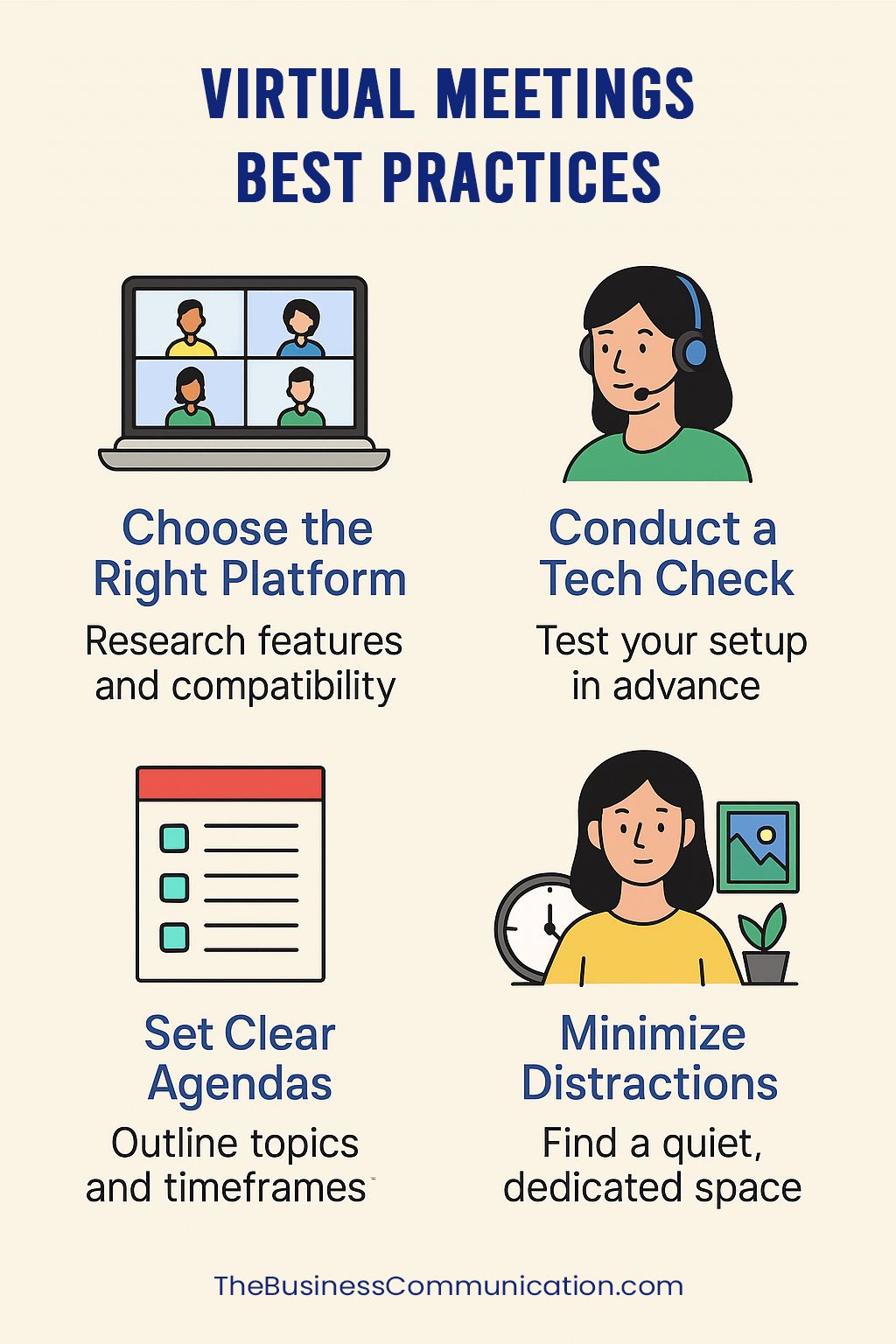
Virtual Meeting Etiquette (Best Practices)
Now let us talk about behavior. Just because you are sitting at home does not mean manners go out the window. Here are the top virtual meetings best practices:
- Be Punctual
Arriving late in a physical meeting is embarrassing. Arriving late online is equally unprofessional. - Dress Professionally
A suit may not be required, but looking neat matters. Pajamas are rarely a good choice. - Keep Cameras On When Possible
Seeing faces creates connection. It also keeps people from secretly scrolling social media. - Use Mute When Not Speaking
No one wants to hear your dog barking or your neighbor’s drilling. - Avoid Multitasking
Reading emails while in a meeting is obvious, and it shows disrespect. - Use Professional Backgrounds
A tidy room or virtual background is better than showing a messy kitchen.
These etiquette points connect nicely with the 7 Cs of communication. Being clear, concise, and courteous works both online and offline.
How to Run an Effective Virtual Meeting
Running a virtual meeting is not so different from running a board meeting, except you are on screen. Here is the process.
- Assign a Host
Someone must control the meeting link, admit participants, and manage settings. - Follow the Agenda
Stick to the order of topics, just like in a board meeting checklist. - Encourage Participation
Ask questions, invite quieter members to speak, and use polls if possible. - Use Breakout Rooms if Needed
For large groups, smaller discussions can be more effective. - Record Minutes Digitally
The minutes of meeting can be typed in real time or generated with transcription tools. - Wrap Up Clearly
Summarize decisions, assign action items, and confirm deadlines.
Challenges of Virtual Meetings
Virtual meetings have many strengths, but they are not perfect. Here are common challenges.
- Technical Problems
Poor internet, frozen screens, or software crashes can derail everything. - Distractions
At home, children, pets, or background noise can interfere. - Lack of Personal Connection
It is harder to read body language or build trust online. - Time Zones
A global team may find it impossible to schedule at a convenient hour for everyone. - Security Concerns
Unauthorized access or “Zoom bombing” can threaten confidentiality.
Solutions to Common Problems
Thankfully, most challenges can be managed.
- Backup Plans: Share dial-in numbers in case of internet failure.
- Clear Rules: Set etiquette, such as muting microphones or raising hands virtually.
- Engagement Tools: Use polls, quizzes, or chat to keep people attentive.
- Time Zone Tools: Rotate meeting times so no region suffers always.
- Security Settings: Use passwords, waiting rooms, and secure links.
These practical solutions are just like setting pre-requisites for valid meetings. Without rules, meetings lose their structure.
Role of the Company Secretary in Virtual Meetings
The company secretary is just as important in virtual meetings as in physical ones. Their responsibilities include:
- Preparing notices and agendas.
- Confirming quorum and attendance.
- Recording digital minutes.
- Storing documents securely.
To explore this role more deeply, check the guide on company secretary.
Modern Trends in Virtual Meetings
Virtual meetings are evolving rapidly. Let us look at some trends.
- AI Transcription
Tools now generate instant transcripts and summaries. - Integration with Project Management
Meetings link directly to tools like Trello, Asana, or Slack. - VR and AR Meetings
Imagine attending a meeting in a virtual boardroom wearing a headset. It is no longer science fiction. - Hybrid Meetings
A mix of physical and online attendance is becoming the new normal.
These changes reflect how companies are rethinking communication, much like the growth of video conferencing did earlier.
Conclusion
Virtual meetings are no longer a temporary solution. They are now an integral part of corporate communication. When done right, they save time, money, and energy. When done poorly, they frustrate participants and waste resources.
In this guide, we covered definitions, importance, tools, etiquette, steps, challenges, solutions, and trends. We also saw how virtual meetings connect to traditional practices like agenda writing, minutes, and notice of meetings.
So, what is the takeaway? Virtual meetings best practices come down to preparation, discipline, and respect for others’ time. If you follow these, your online meetings will be just as effective as, or even better than, traditional ones.
Next time you log into Zoom, remember this: your meeting may be virtual, but the impact is very real.
Frequently asked questions
What should I do if someone’s internet keeps cutting out?
Ask them to rejoin with video off or switch to phone dial-in if available. If they’re a key speaker, consider rescheduling that portion. For recurring issues, suggest they move closer to the router or use a wired connection. Keep the meeting moving—don’t wait repeatedly for reconnects, as it wastes everyone’s time.
Is it acceptable to join a virtual meeting from my car or outside?
Only if necessary. A moving car or noisy outdoor setting is unprofessional and distracting. If you must join remotely, find a quiet, stable location with good lighting. Use a virtual background if your surroundings aren’t suitable. For important meetings, reschedule if you can’t find a proper space.
How do I handle someone who dominates the conversation?
As the host, politely interrupt: “Thanks for that input. Let’s hear from others.” Set time limits per speaker in the agenda. Use the chat for written input so quieter members can contribute. After the meeting, privately remind dominant speakers about balanced participation for future calls.
Should I record every virtual meeting, or only certain ones?
Record only when necessary and inform participants beforehand. Record decision-making meetings, training sessions, or those with absent team members who need updates. Skip casual check-ins unless required by policy. Always state the recording purpose and who can access it to respect privacy.
What’s the best way to handle time zones across global teams?
Rotate meeting times so no region always gets inconvenient hours. Use a world clock tool to show all zones. For recurring meetings, alternate between early and late slots. Offer recordings for those who can’t attend live. Confirm times in writing using each person’s local timezone to avoid confusion.
Can I use a virtual background if my home office looks unprofessional?
Yes, but use it sparingly. A simple, neutral virtual background is acceptable for client calls or formal meetings. However, a real, tidy space is always better—it builds trust. If using a virtual background, test it beforehand to avoid glitches. For internal team meetings, a messy background is usually fine.