


The average worker now receives 117 emails a day and skims most of them in under a minute, according to Microsoft’s 2025 Work Trend Index. Your message has seconds to make its point.
Unclear emails are part of a bigger problem. In Grammarly’s 2024 survey with The Harris Poll, every knowledge worker reported miscommunication at least weekly. One in four faced it several times a day.
This guide covers every part of a well-structured email. It also gives you 15 ready-to-use templates for the most common workplace situations, from introductions to resignations.
Quick answer: To write a professional email, start with a specific subject line. Open with the right greeting and state your purpose in the first sentence. Give context in short paragraphs. End with a clear next step. Proofread before you send. Clear, concise, and courteous writing gets faster replies.
What Makes an Email Professional
A professional email communicates clearly, respects the reader’s time, and reflects well on you. Those are the three goals every message should hit.
Tone is the biggest factor. Casual abbreviations, emoji, and slang lower the tone fast. Stiff, overly formal language can feel cold. Aim for clear, warm, and direct.
Email is not going away either. The Radicati Group expects email users to grow from over 4.4 billion in 2024 to over 4.9 billion by 2028.
Not every message belongs in an email. For topics that feel sensitive or emotionally charged, a call often works better. Our overview of the advantages and disadvantages of email covers when to use it and when to pick a different channel.
The 7 Parts of a Professional Email
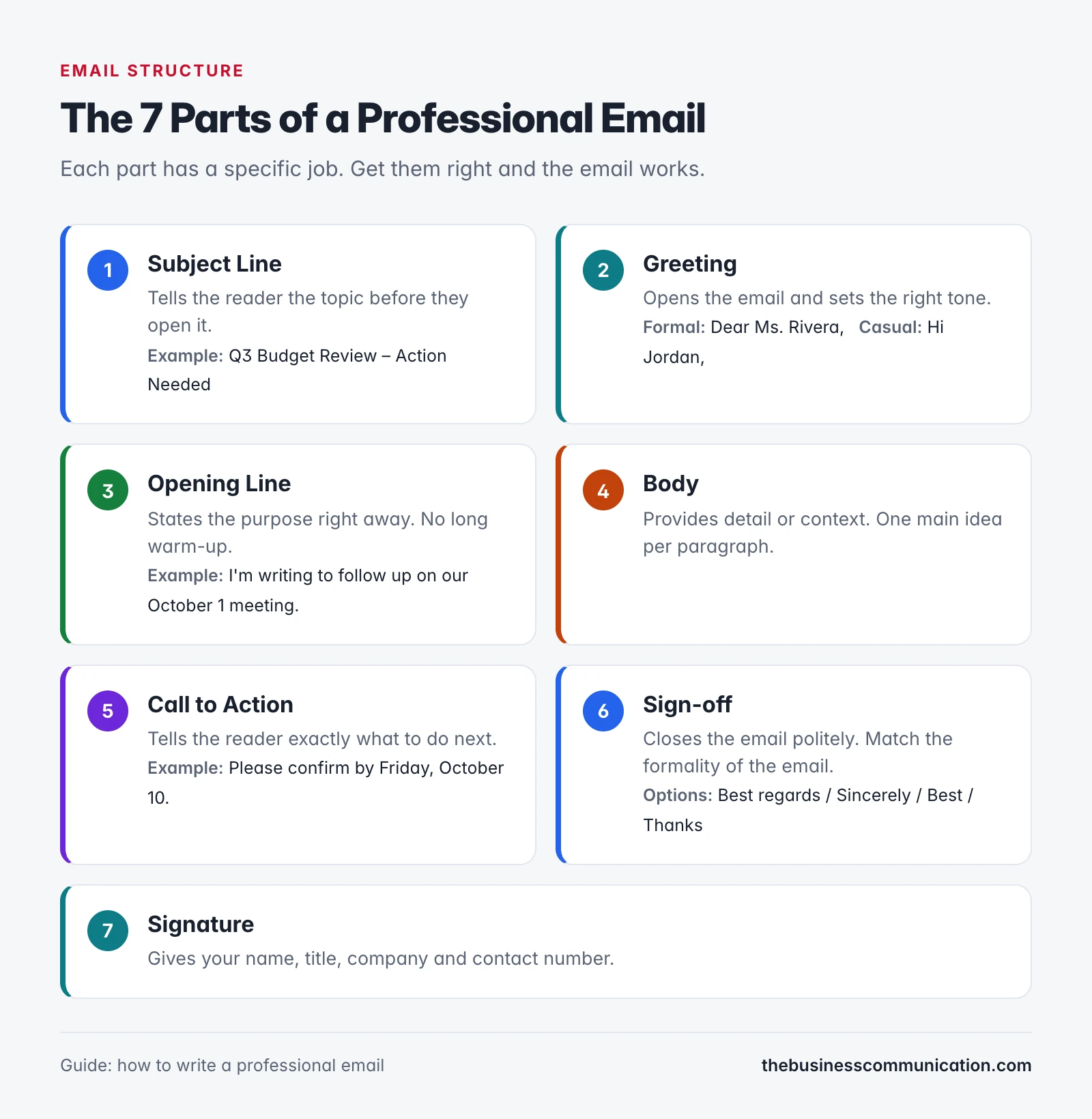
Every effective email has the same building blocks. Knowing what each part does helps you write faster and with more confidence.
| Part | What it does | Quick example |
|---|---|---|
| Subject line | Summarizes the topic before the reader opens it | “Follow-up: Marketing Proposal” |
| Greeting | Opens with the right tone | “Dear Ms. Rivera,” or “Hi Jordan,” |
| Opening line | States the purpose immediately | “I’m writing to request approval for…” |
| Body | Provides the detail, context, or request | One main idea per paragraph |
| Call to action | Tells the reader what to do next | “Please confirm by Thursday.” |
| Sign-off | Closes the email politely | “Best regards,” or “Sincerely,” |
| Signature | Provides your name, title, and contact details | Name, title, company, phone |
How to Write a Professional Email: 7 Steps
Follow these seven steps for any email, whether you’re messaging a new client, your manager, or a vendor you’ve never met.
Step 1: Write a clear, specific subject line
The subject line determines whether your email earns a read. A specific line sets expectations at once. A vague one sends the email to the back of the queue. Keep it under 60 characters.
Aim to include the topic and any action needed. “Invoice #1042 – Payment Due Oct 15” says far more than “Quick question.” Our roundup of 50 subject line examples for inquiry emails gives you options you can adapt right away.
Step 2: Choose the right greeting
For formal emails, “Dear [Name],” is the standard opening. In everyday workplace contexts, “Hi [Name],” works just as well. If you don’t know the person’s name, “Dear Hiring Manager” or “Hello” both work fine.
Skip “To Whom It May Concern” for anything less than very formal correspondence. “Hey” is almost always too casual for a work email.
Step 3: State your purpose in the first line
Don’t make the reader scroll to find out why you’re writing. State the purpose in the first sentence. Keep any background or context for the body paragraph that follows.
Step 4: Write one main idea per paragraph
Long walls of text lose readers fast. Break the body into short paragraphs, one idea each. Three to four lines per paragraph is plenty.
Use bullet points or a numbered list when you have multiple items. That makes the email far easier to scan on a phone or a busy screen.
Step 5: End with a clear call to action
What do you want the reader to do? Say it plainly at the end.
A specific request with a deadline gets a faster reply. “Please confirm by Friday, October 10” is clearer than “Let me know whenever you get a chance.”
Step 6: Pick the right sign-off
Match the sign-off to the email’s formality. “Best regards” and “Sincerely” work for formal messages. “Best” or “Thanks” suit everyday workplace emails.
In the UK, “Cheers” is fairly common in professional settings. In US workplaces, it can feel too casual. When in doubt, “Best regards” is always safe.
Step 7: Add a professional signature
Your signature should include your full name, job title, company name, and a direct phone number. Five lines or fewer is the right length.
Long inspirational quotes and heavy graphic banners slow emails down on mobile. A clean, simple signature looks more professional than a cluttered one.
Email Etiquette Beyond the Message
A well-written message can still go wrong if the details around it slip. These five habits cover what most guides skip.
Use a professional email address
Send work email from your company account. For a job search, use a plain address built from your name, such as jordan.lee@gmail.com. Avoid nicknames, numbers that look random, and old school accounts.
Use CC, BCC and Reply All with care
Put the people who must act in the To line. Use CC for people who only need to stay informed. Use BCC to protect addresses on large external sends.
Before you hit Reply All, ask whether every person needs your answer. Microsoft found that mass emails with 20 or more recipients rose 7% in a year, so restraint stands out.
Handle attachments properly
Mention every attachment in the body, so the reader knows to look for it. Give files clear names, such as “ABC-Ltd-Q4-Proposal.pdf”. Send PDFs for documents you do not want edited, and share large files as a link.
Send at the right time
Timing affects whether your email gets read. Send during the reader’s working hours, and check their time zone first. Most email apps let you schedule a message, so you can write late and deliver it at 9 a.m. their time.
Use AI drafting tools wisely
AI writing tools can produce a fast first draft. Treat that draft as raw material. Check every fact, name and date, and rewrite the parts that sound generic. Your reader should hear you, not a template.
Never paste confidential client or company data into a public AI tool. Follow your employer’s policy on approved tools.
The 5 C’s of Professional Email Writing
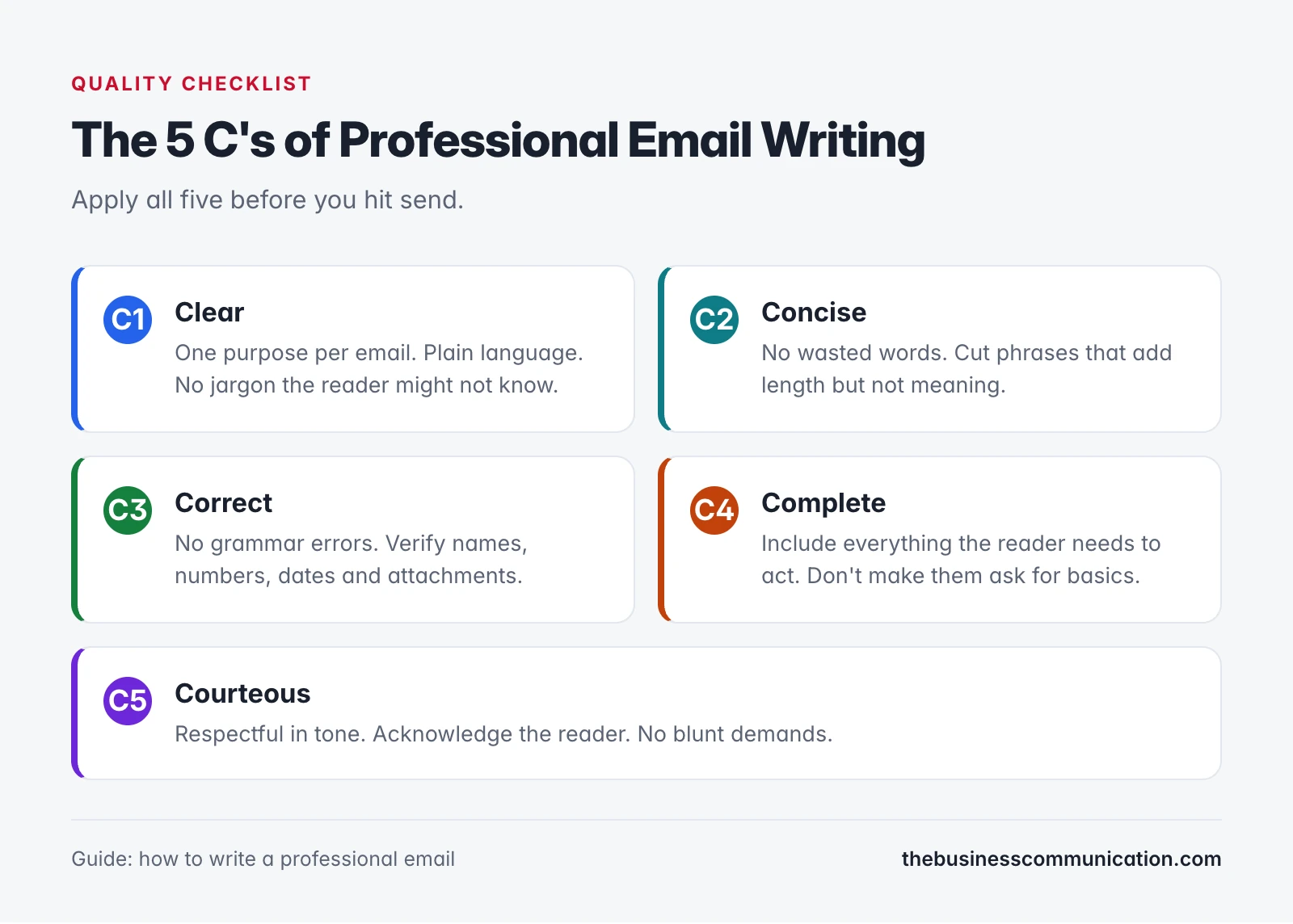
Writing coaches often use the 5 C’s as a quick pre-send checklist: Clear, Concise, Correct, Complete, and Courteous.
| C | Meaning | In practice |
|---|---|---|
| Clear | The reader understands you right away | One purpose per email; plain language over jargon |
| Concise | No wasted words | Cut anything that adds length but not value |
| Correct | No factual or grammar errors | Verify names, numbers, dates, and attachments |
| Complete | All necessary information is present | Ask: what does the reader need to act on this? |
| Courteous | Respectful and professional in tone | No blunt demands; acknowledge the reader |
Email and formal letters share many of these principles. For the difference in format, see our comparison of business letters vs emails. And if you need to send an internal message instead, the memo vs email guide explains when each one fits best.
15 Professional Email Examples
Each example uses fictional names (Jordan Lee, Alex Rivera, Morgan Chen, Sam Patel, Taylor Brooks) and fictional companies (ABC Ltd., Greenfield Co., Horizon Tech). Copy the structure and adapt the details to your situation.
1. Introduction Email to a New Contact
This opening works when you want to start a conversation with someone you have never contacted before.
2. Cold Outreach Email
Cold outreach needs a clear value proposition fast. Here’s a template that respects the reader’s time.
3. Follow-Up Email After No Reply
A week with no reply? This follow-up keeps things brief and non-pushy.
4. Meeting Request Email
Meeting requests work best when you suggest times upfront. This template does that.
5. Request for Information
Send this when you need specific details from a vendor, supplier, or service provider.
6. Project Update Email
Regular project updates keep stakeholders in the loop. You do not need a meeting for every status check.
7. Job Application Email
For role-specific templates, see our internship inquiry email guide. This version suits most salaried positions.
8. Deadline Extension Request
When you need extra time on a deadline, flag it early. This template gives the recipient fair notice.
9. Declining a Request Politely
Declining gracefully keeps the relationship intact. This example turns down the request while leaving room for future ones.
10. Complaint to a Vendor
When a shipment or service falls short, a direct but polite complaint email moves things along.
11. Apology Email
A short apology email takes responsibility and moves on. Don’t over-explain.
12. Thank-You Email After a Meeting
Send a thank-you within 24 hours of any productive meeting to keep momentum going.
13. Internal Team Announcement
Internal announcements set the tone for how colleagues receive important news.
14. Resignation Email
A clear resignation email protects your professional reputation and gives your employer fair notice.
15. Requesting Feedback or Approval
Send this when you need a decision or sign-off before work can move forward.
5 Mistakes to Avoid in Professional Emails
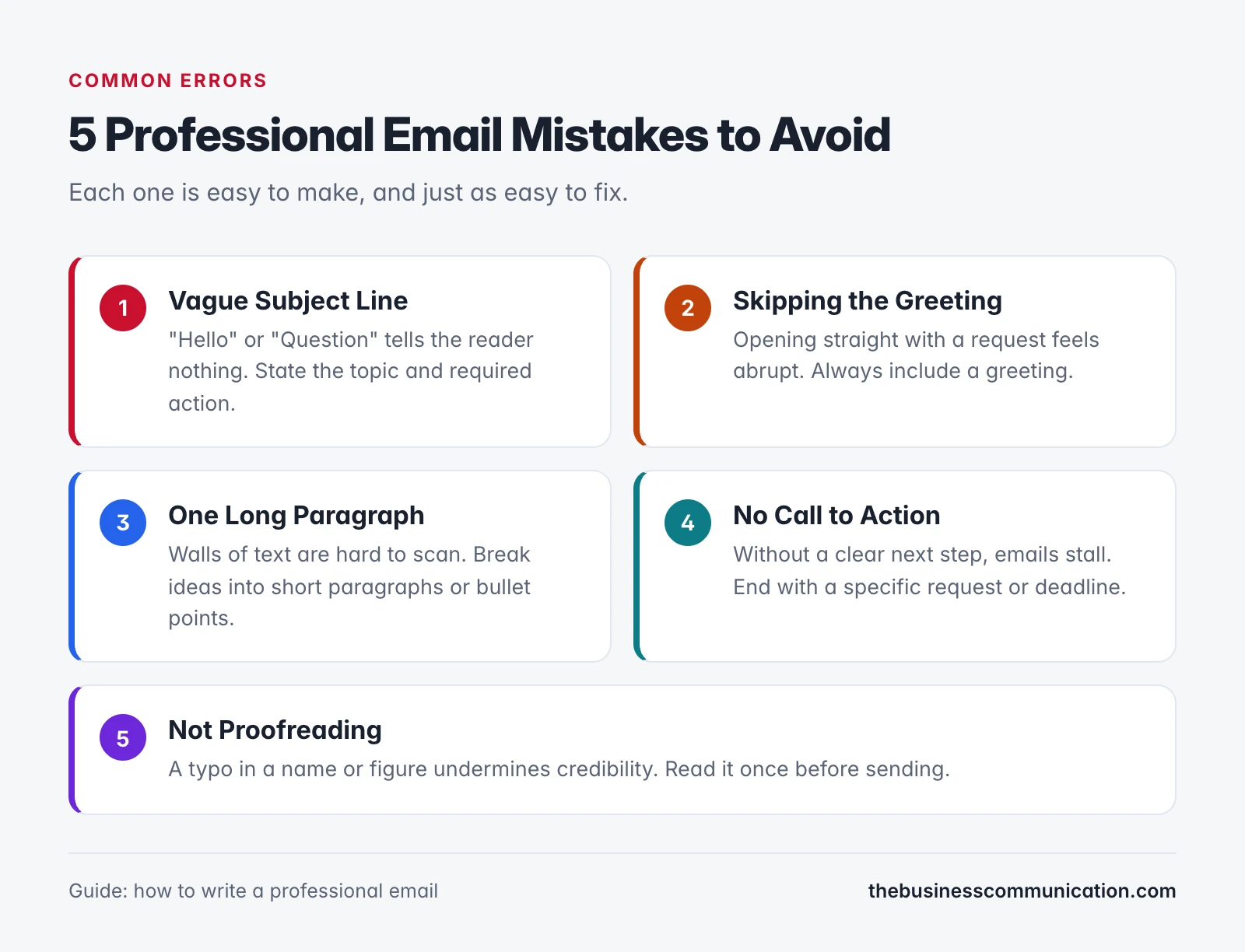
- Vague subject line. “Hello” or “Question” gives the reader no reason to open the email. State the topic and the required action.
- Skipping the greeting. Starting straight with a request feels abrupt. Always open with a greeting, even in short emails.
- One long paragraph. Walls of text tire readers out. Break ideas into short paragraphs and use bullet points for lists.
- No call to action. Without a clear next step, emails stall. End with a specific request and, where possible, a deadline.
- Not proofreading. A typo in a name or figure undermines credibility. Read it once before sending.
For context, our guide on written communication in business explains the broader role text-based messages play in the workplace.
Frequently Asked Questions
How to write a professional email example?
Start with a specific subject line. Open with the right greeting, then state your purpose in the first sentence. Give context in the body, one idea per paragraph. End with a clear next step and a polished sign-off. The 15 templates above cover the most common workplace scenarios.
How can I write a formal email in a professional way?
Use “Dear [Full Name]” or “Dear [Title Last Name]” as the greeting. Write in full sentences, avoiding slang and abbreviations. Close with “Sincerely” or “Best regards.” Keep the tone polite and direct throughout. Always include your full name and title in the signature.
What are the 5 C’s of email writing?
The 5 C’s are Clear, Concise, Correct, Complete, and Courteous. Clear means one purpose per email with plain language. Concise means no wasted words. Correct means no errors in grammar, names, or numbers. Complete means the reader has everything they need to act. Courteous means the tone stays respectful throughout.
What are the 5 parts of a professional email?
Most guides list five parts: subject line, greeting, body, closing and signature. This guide splits the body into an opening line, the main message and a call to action, which gives seven parts. The extra detail helps you write a body that gets a reply.
How do you start off an email professionally?
Open with a greeting addressed to the reader by name: “Dear Ms. Lee,” for formal emails or “Hi Jordan,” for everyday workplace messages. Follow it with one sentence that says why you’re writing.